
SECTION 2 → PART 11
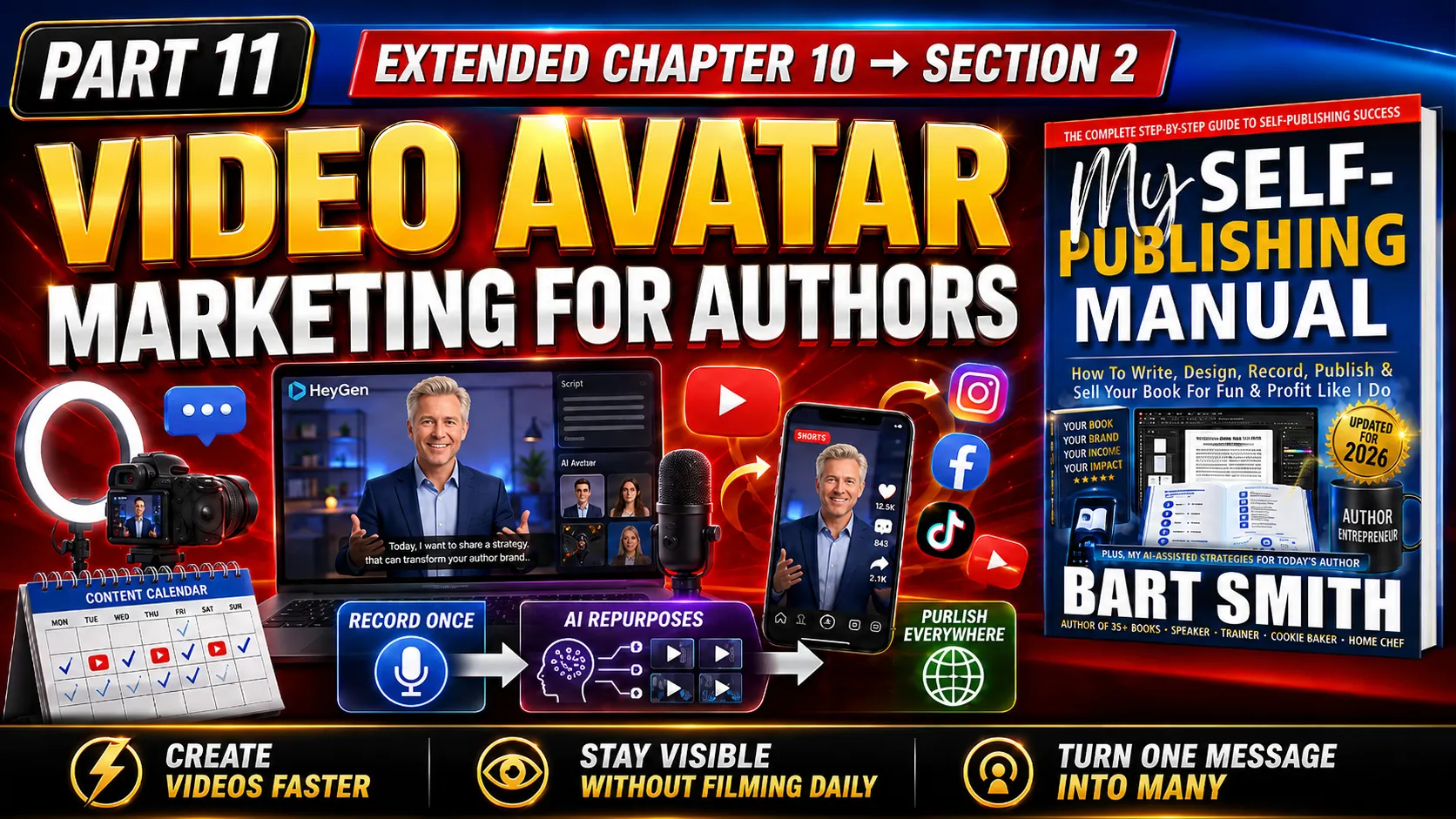
Video Avatar Marketing For Authors Using AI
EXTENDED BOOK CHAPTER #10 from MY SELF-PUBLISHING MANUAL by Bart Smith
INTRODUCTION & WHAT TO DO
If you want to market your book effectively, you need to think seriously about video. Video lets readers see you, hear you, understand your message, and connect with your personality before they ever buy your book. It also gives you content you can use on your website, YouTube, social media, email campaigns, book sales pages, interview pages, event pages, and anywhere else you promote yourself as an author.
Years ago, video marketing meant setting up lights, a camera, a microphone, a backdrop, editing software, and a lot of patience. You can still do that, and sometimes you should. But today, authors have another powerful option → AI Video Avatars!
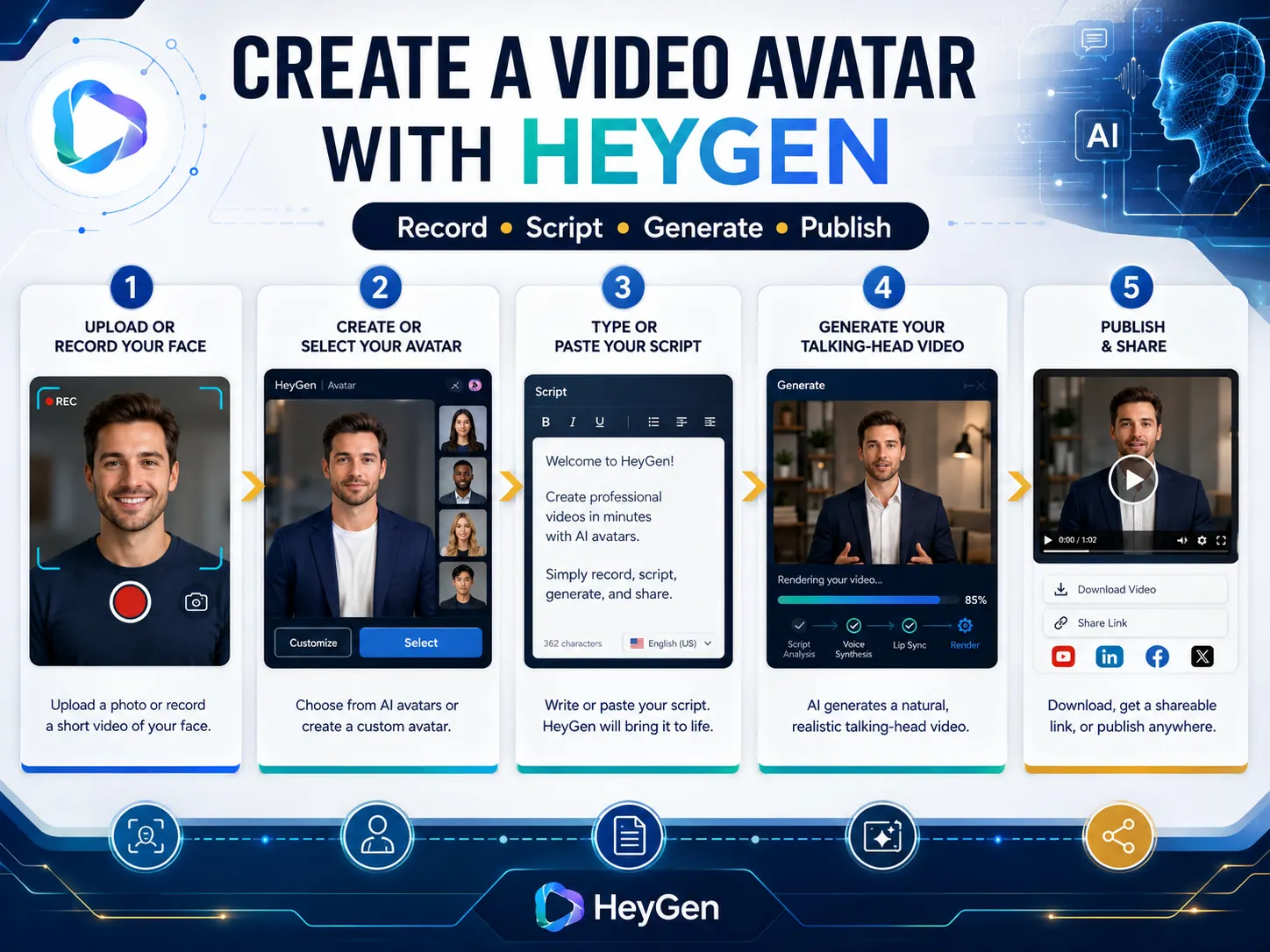
Using tools such as HeyGen.com, you can create a realistic video avatar of yourself and then generate book-related video messages from typed scripts. HeyGen says its platform can create AI videos from text, images, or audio, and its avatar tools let users create videos from scripts using AI avatars without needing a studio, actors, or heavy editing skills. Look at these samples of other authors creating video avatars of themselves to get their messages out.
That means you can record yourself once, create a digital version of yourself, and then use that avatar to produce an ongoing stream of videos about your book, your events, your excerpts, your offers, your courses, your workshops, your interviews, your audiobook, your website, and your upcoming promotions. Instead of constantly getting dressed, setting up lights, fixing your hair, testing audio, and recording five takes, you can type the message, generate the video, review it, and publish it. That is a huge advantage for authors.
Smart Ways Authors Can Use Video
Here are some practical video ideas every author should consider:
1. Book Trailers — Create a 1–3 minute video that introduces the book, explains who it is for, highlights the big promise, and tells people where to buy it.
2. Author Welcome Videos — Record or generate a short message welcoming visitors to your book sales page and explaining why you wrote the book.
3. Self-Interview Videos — Answer common questions about your book so podcast, radio, TV, YouTube, and livestream hosts can see how well you explain your topic.
4. Book Website Tour — Show people how to buy your paperback, download your eBook, access your audiobook, claim bonuses, or navigate your book’s companion resources.
5. Chapter Teaser Videos — Pull 10–20 short lessons, quotes, tips, or ideas from your book and turn them into short videos for YouTube, Instagram, TikTok, Facebook, LinkedIn, and your website.
6. Event Promo Videos — Promote book signings, workshops, webinars, speaking events, podcast appearances, livestreams, and online classes.
7. Testimonial Videos — Ask readers, clients, students, or customers to record short video testimonials about your book, workshop, course, or coaching.
8. Audiobook / Course Promo Videos — Use video to promote companion products such as an audiobook, online course, workbook, checklist, special report, or training program.
9. FAQ Videos — Turn common buyer questions into short videos: “Who is this book for?” “What will I learn?” “Is this for beginners?” “How do I use the book?”
10. AI Avatar Updates — Use your AI avatar to create quick announcements, reminders, seasonal promotions, launch messages, media pitches, and follow-up videos without having to appear on camera every time.
Why AI Avatar Video Is A Game Changer
An AI avatar does not replace every real video you should ever make. You should still record real footage of yourself speaking, holding the book, signing books, teaching, attending events, giving interviews, or talking directly to your audience when it makes sense. But an AI avatar can help you scale your visibility.
You can use it when you need to:
1. Create quick book updates
2. Announce a new edition
3. Promote a free chapter
4. Explain a special report
5. Invite people to an event
6. Introduce a book excerpt
7. Summarize a chapter
8. Promote your audiobook
9. Pitch your workshop
10. Create short social videos
11. Make website welcome messages
12. Produce multilingual messages
HeyGen.com’s website describes tools for generating videos from scripts, choosing avatars, working with voices and languages, and creating videos for marketing, sales, training, social media, and other business uses. For authors, that means your video marketing can become more consistent, more scalable, and less exhausting.
HeyGen.com Video Avatar Creation Tips
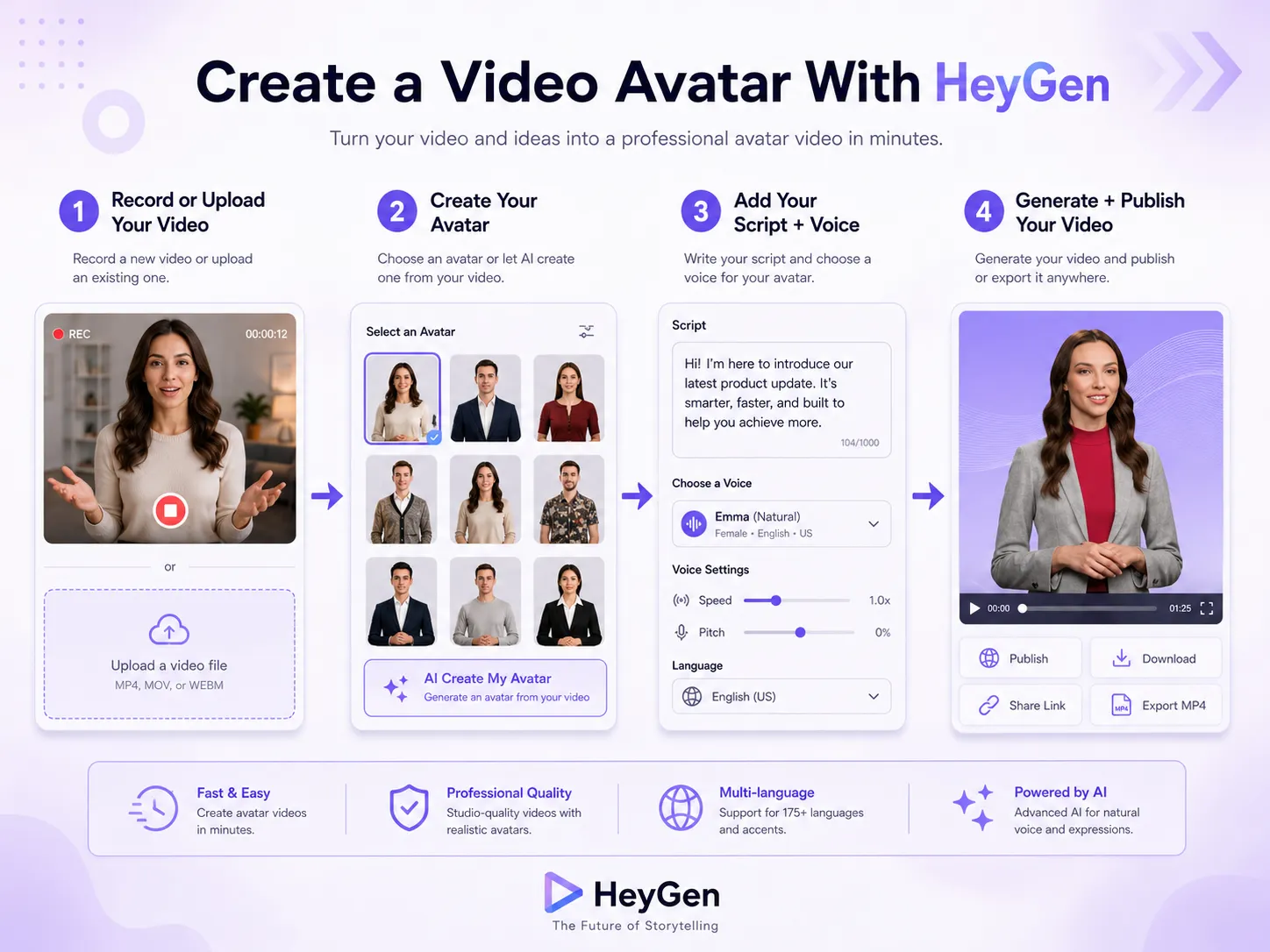
For AI avatar videos, look into tools such as HeyGen.com. With AI avatar video, your workflow can become as simple as:
1. Write the script → Get ChatGPT or your favorite AI tool to write all the scripts you need for any and every aspect of your book/author business!
2. Choose or create your avatar by filming just 5 minutes of yourself on video.
3. Paste the script into the script/scene window in a HeyGen video project.
4. Select the voice, format, and style from your uploaded voice sample you gave HeyGen to use to be the voice of your video avatar.
5. Generate the video after previewing it and seeing how it plays.
6. Review it, even after you generate it, play it and look for errors or things to correct.
7. Download it to your computer so you can have it to work with, promote, etc.
Upload it to your website, YouTube, social media, email campaign, or book sales page, you name it.
The key here is to create useful video messages that help people understand you, your book, and the value of what you are offering.
Basic Video Equipment To Have
Even with AI video tools, you should still have a basic video setup for recording real footage when needed. You do not need a Hollywood studio. Start with simple equipment and upgrade later. Consider having:
• Smartphone with HD or 4K video recording. You can score inexpensive Samsung Galaxy and Apple iPhones on BackMarket.com for a fraction of retail cost without sacrificing performance or cosmetic appearance. Back Market is a premier refurbished marketplace that rigorously tests and certifies every pre-owned device, ensuring you get elite, flagship quality on a bootstrapper's budget. It is the perfect, low-cost way to upgrade your mobile marketing toolkit, handle your live stream recordings, and manage your author campaigns with premium technology for cheap. TIP: Buy 2 of these phones for 2 different angles. Your phone could serve as a 3rd angle.
• Lavaliere microphone or wireless mic
• Tripod with phone/camera mount
• Ring light or two simple photography lights
• Clean background or backdrop
• Desk setup for screen recordings
• Green screens (optional, many video editing software programs remove background)
• Video editing software (i.e., Movavi.com)
Check out my website, BartSmith.com/speaker1sheet, or you can look for these items on Amazon or wherever you buy camera and office equipment. Start simple. Good lighting, clear audio, and a steady camera will take you much further than expensive gear you never use.
Basic Video Software To Consider
For regular editing, you can use simple video tools such as Movavi.com, Canva video tools, CapCut, ScreenPal, Final Cut Pro, or whatever you are comfortable using.
FINAL THOUGHTS
Video marketing helps authors become more visible, more memorable, and more trusted. Whether you record yourself on camera, create screen-share tutorials, collect reader testimonials, or use an AI avatar to produce regular updates, video gives your book a stronger voice in the marketplace. Start with a few simple videos, keep improving your process, and use every video to point people back to your book, your website, your email list, your events, and your larger author platform.
CHECK OUT OTHER BOOK MARKETING LESSONS
← PREVIOUS LESSON (PART 10)
MAIN BOOK MARKETING HUB
NEXT LESSON (PART 12) →

© BartSmith.com | All Rights Reserved
Website Design & Marketing by Bart Smith